AI Interface Design
The Blank Canvas Paradox
Why empty chat prompts paralyze users — and how to design around it
The Front Door
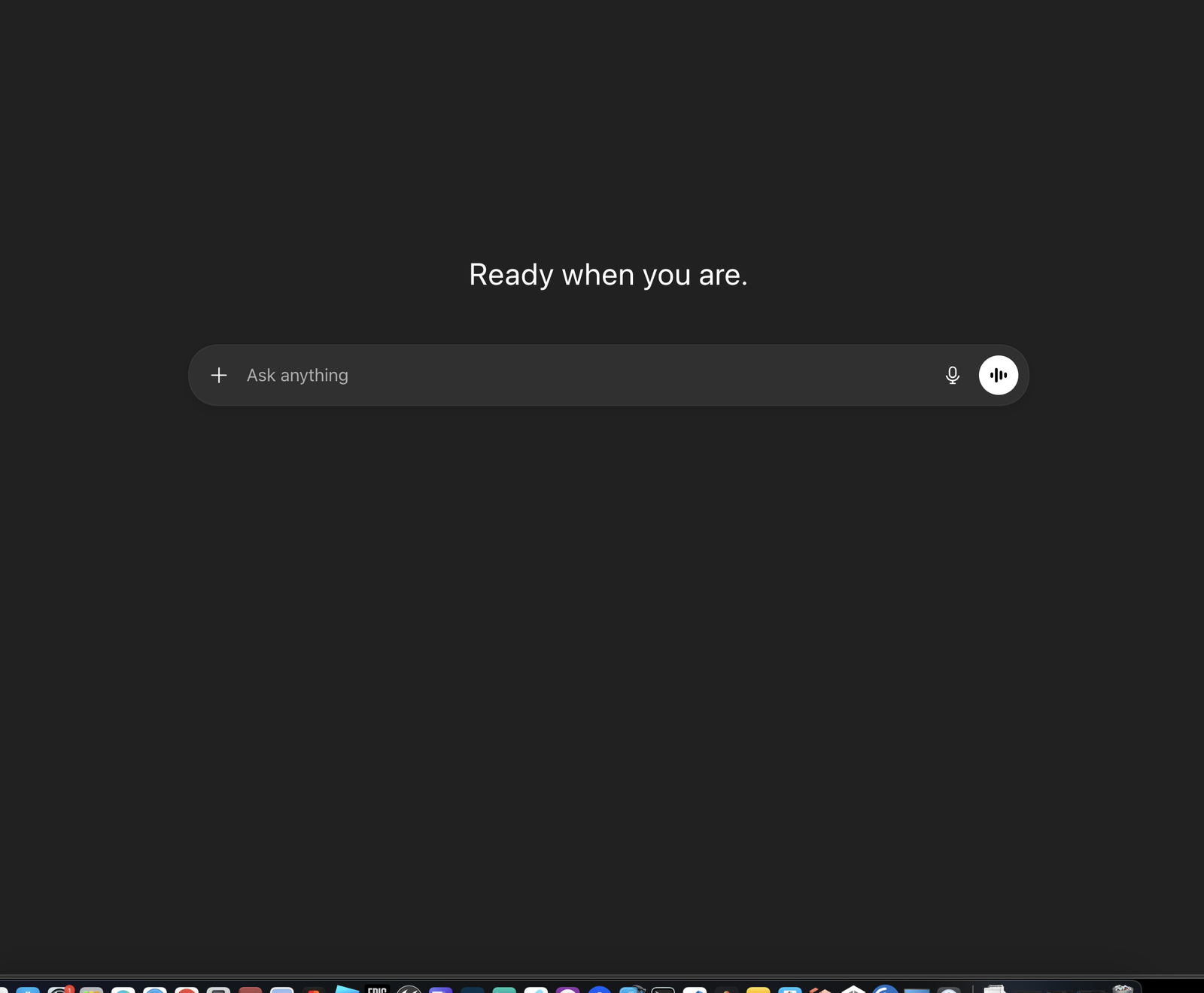
ChatGPT
“Ready when you are.” — a greeting, a blank “Ask anything” text field, and nothing else. The ultimate blank canvas.
chatgpt.com →
The Front Door
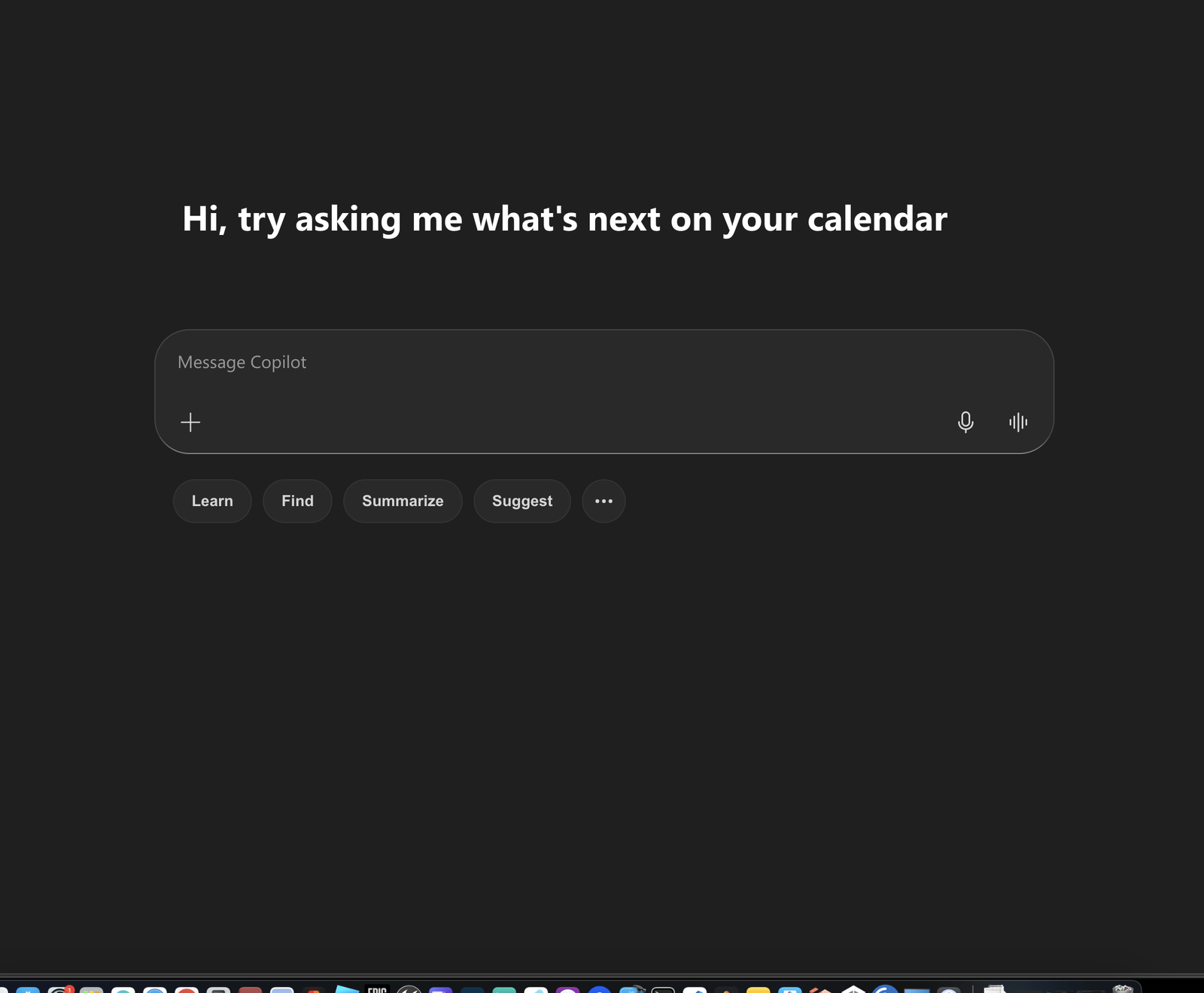
Microsoft Copilot
A personalized greeting and action chips — Learn, Find, Summarize, Suggest — but the core interaction is still “Message Copilot.”
copilot.microsoft.com →
The Front Door
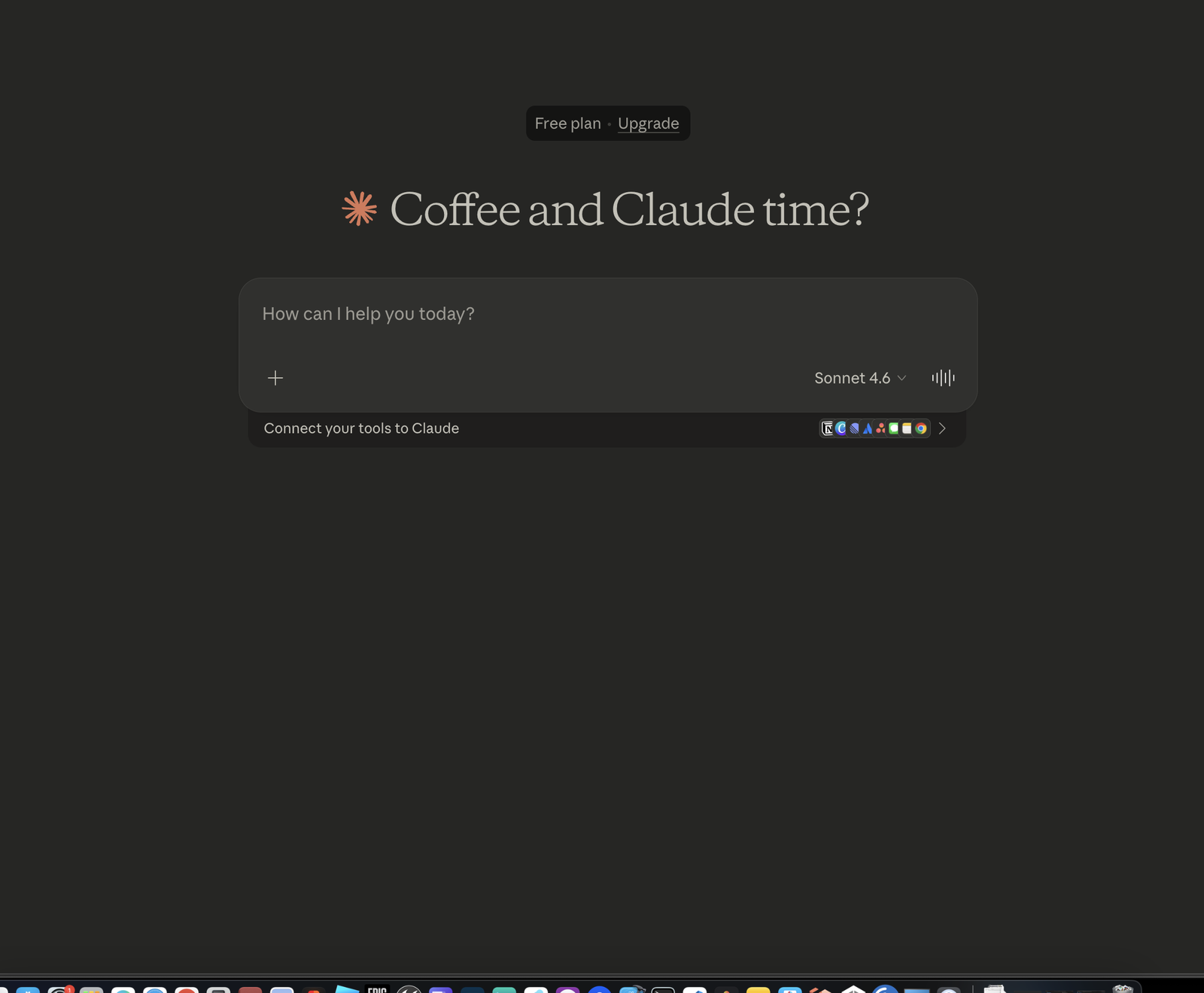
Claude
A friendly greeting, a model selector, and a “Connect your tools” banner — but the central question is still “How can I help you today?”
claude.ai →
The Front Door
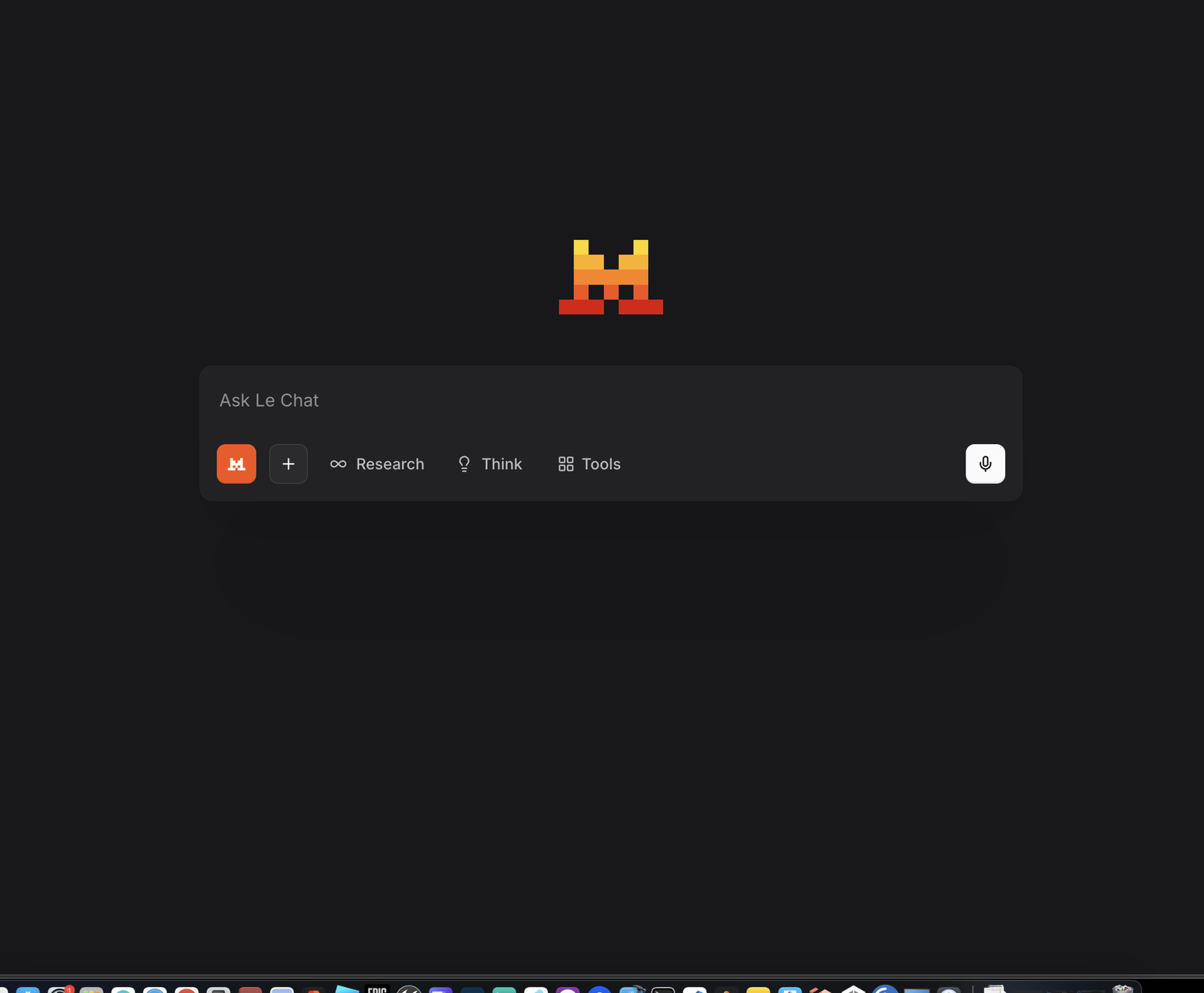
Mistral — Le Chat
A pixel-art mascot, an “Ask Le Chat” text field, and mode buttons — Research, Think, Tools — but no guidance on what to actually ask.
chat.mistral.ai →
User Behavior
Users Prompt Like They Search
Research shows most users default to keyword-style, search-engine queries — not the rich, contextual prompts that LLMs need to perform well. This isn’t a user failure; it’s a design failure.
"best practices REST API"
"python sort list"
"fix memory leak"
"I’m building a REST API in Go for a real-time IoT dashboard. What are the best practices for connection pooling and rate limiting at scale?"
Rosala · NNGroup · “How AI Literacy Shapes GenAI Use” · Feb 2026
Research
The AI Literacy Gap
AI literacy isn’t one skill — it’s two independent dimensions. And the people most receptive to AI tools are often the least equipped to use them well.
Prompt Fluency
The ability to formulate effective inputs — knowing what to ask and how to structure it for the model.
Output Literacy
The ability to critically evaluate AI responses — recognizing hallucinations, biases, and gaps.
Key finding: Lower AI knowledge predicts higher receptivity to AI recommendations — the people most eager to use AI are least able to assess its output.
Tully et al. · Journal of Marketing · 2025 · 6 studies
Design Solutions
Patterns
Designing around the blank canvas
Pattern 1
Structured Onboarding
Replace the blank canvas with structured entry points that make capabilities visible and discoverable.
Capability Cards
Show categorized examples of what the system can do: “Write code,” “Analyze data,” “Explain concepts.” Let users click, not imagine.
Prompt Templates
Offer fill-in-the-blank scaffolds: “Help me [verb] a [noun] that [constraint].” Lower the cognitive bar from generation to selection.
Domain Starters
Context-aware suggestions based on workspace, file type, or project state. Meet users where they already are.
Design principle: recognition over recall — users should choose from visible options, not generate from memory.
Pattern 2
Slash Commands &
Contextual Hints
Structured input mechanisms that bridge the gap between freeform text and discrete actions.
/explain
/refactor
/test
/doc
/fix
- Discoverable via / keystroke
- Typed, predictable behaviors vs. freeform ambiguity
- Contextual hints: suggest /fix when an error is detected, /doc when a function lacks comments
- Progressive depth: basic use is visible, advanced parameters available but not required
Pattern 3
GenUI: Beyond the Text Box
Generative UI embeds interactive widgets — buttons, checkboxes, dropdowns — directly into chat responses. This transforms conversations from pure text into hybrid interfaces.
“Error-prone and cognitively taxing” — users must read, memorize, and retype options from the AI’s response.
Perplexity · Moran · NNGroup · Mar 2026
Claude’s AskUserQuestion widget was “substantially faster and easier.” Google AI Mode checkboxes eliminate the read/memorize/retype cycle entirely.
Moran · NNGroup · Mar 2026
It is “never realistic to expect consumers to become perfect prompt engineers” — Moran, NNGroup 2026
Pattern 4
Transparency Builds Trust
Users don’t just need answers — they need evidence that answers are worth trusting. Without transparency, they hedge by cross-referencing with traditional search.
6/9
participants switched between AI and search to verify
Rosala & Brown · NNGroup · Feb 2026
Source Attribution
Inline citations and links to source material. Let users verify without leaving the conversation.
Confidence Signals
Explicit uncertainty markers. “I’m not sure about this” is more trustworthy than false confidence.
Reasoning Traces
Show the chain of reasoning. Collapsible step-by-step breakdowns that engineers can audit.
Advanced Patterns
Beyond the Single Turn
The blank canvas isn’t just a first-interaction problem. Each new session resets context. Advanced patterns create continuity and expand the input surface.
Memory & Persistence
Remember user preferences, project context, and past decisions across sessions. Transform every return visit from blank canvas to warm handoff.
Multimodal Input
Screenshots, diagrams, voice, files — not every intent maps cleanly to text. Give users the input modality that matches their thought.
Workspace & Canvas
Move beyond linear chat into persistent, editable artifacts. Side-by-side editing surfaces where AI is collaborator, not oracle.
Design principle: collaborative framing — the system is a partner, not a question-answering machine.
“The best AI interfaces don’t ask users to imagine what’s possible — they make possibility visible.”
Scaffolds
not blank pages
Sources: NNGroup (Moran 2026, Rosala 2026, Rosala & Brown 2026) · Tully et al., Journal of Marketing 2025